Iterative Prompting: Getting Closer Step by Step
Techniques for guiding AI through multiple rounds of refinement
Many people think AI coding is a one-shot deal — type a prompt, get perfect code. In reality, even experienced developers rarely get a satisfying result on the first try. The real skill isn't writing the perfect first prompt — it's knowing how to adjust step by step.
The Core Loop: Prompt, Review, Adjust
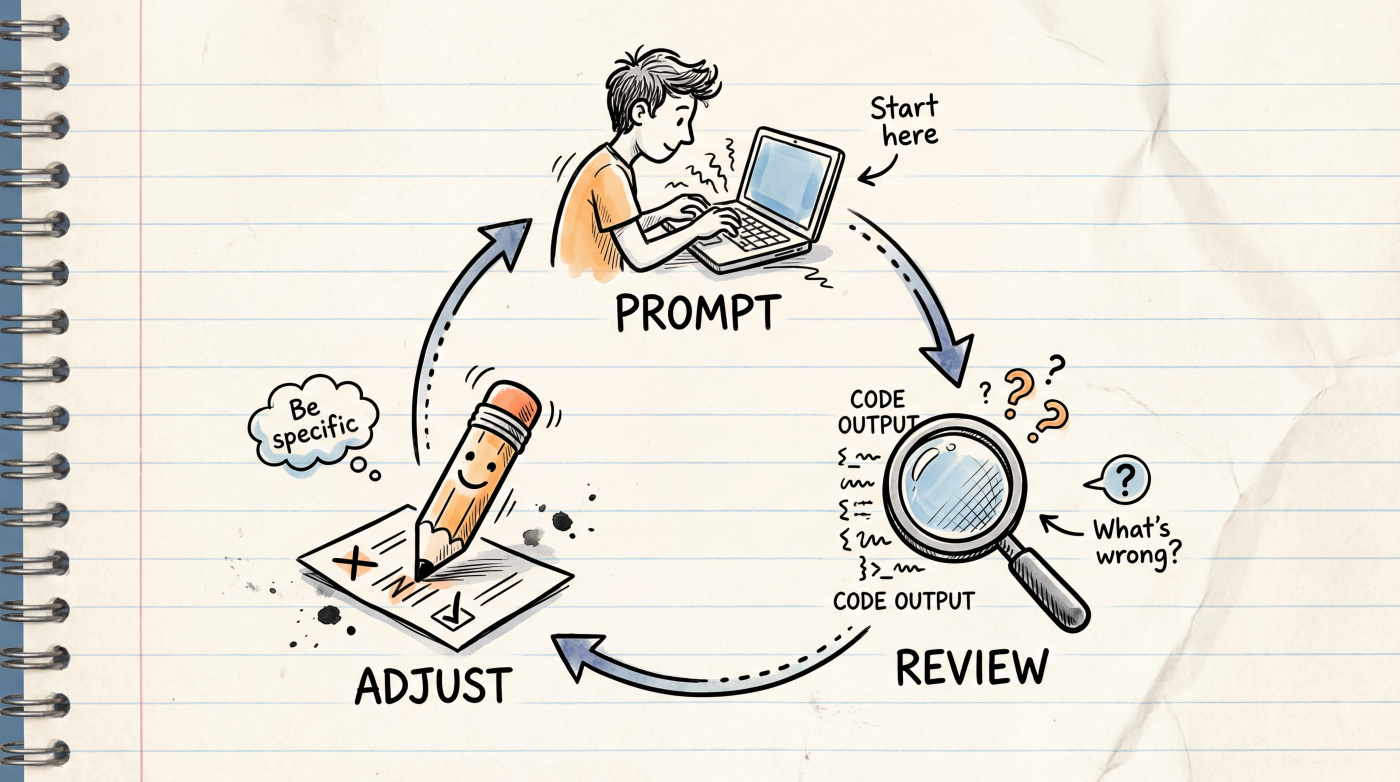
Iterative prompting is essentially a loop:
- Prompt — give the AI a request
- Review — check what's right and what's off
- Adjust — give specific feedback on what needs changing
You can repeat this cycle multiple times, getting closer to your goal each round. Think of it like working with a talented colleague who doesn't know your requirements yet — you need ongoing communication to get aligned.
Start Simple, Add Detail Gradually
Don't try to cram every requirement into your first prompt. Start with the core functionality, confirm the direction is right, then layer on details:
Round 1: Build the skeleton
Build a todo app with React + Tailwind.
Users can add, complete, and delete todos.
Round 2: Refine the style
Looks good overall. Please adjust the styling:
- Change background to light gray
- Add rounded corners and shadow to todo cards
- Completed items should have strikethrough text in gray
Round 3: Add features
Now add local storage so todos persist after page refresh.
Also add a filter: All / Active / Completed.
By focusing on one aspect per round, the AI understands your intent more clearly, and when something goes wrong, it's easier to pinpoint the issue.
Give Specific Feedback, Not "Redo It"
When the AI's output isn't right, the least effective approach is saying "that's wrong, start over." The AI doesn't know what's wrong and can only guess.
| Vague Feedback | Specific Feedback |
|---|---|
| "This looks bad" | "The button is too small — make it 48px tall with bold text" |
| "The logic is wrong" | "The list doesn't update after deleting — refetch data after delete" |
| "Start over" | "Keep the current layout but change the color scheme from blue to green" |
Good feedback has three elements: what's wrong + what the problem is + what you expect instead.
Break Down Big Tasks
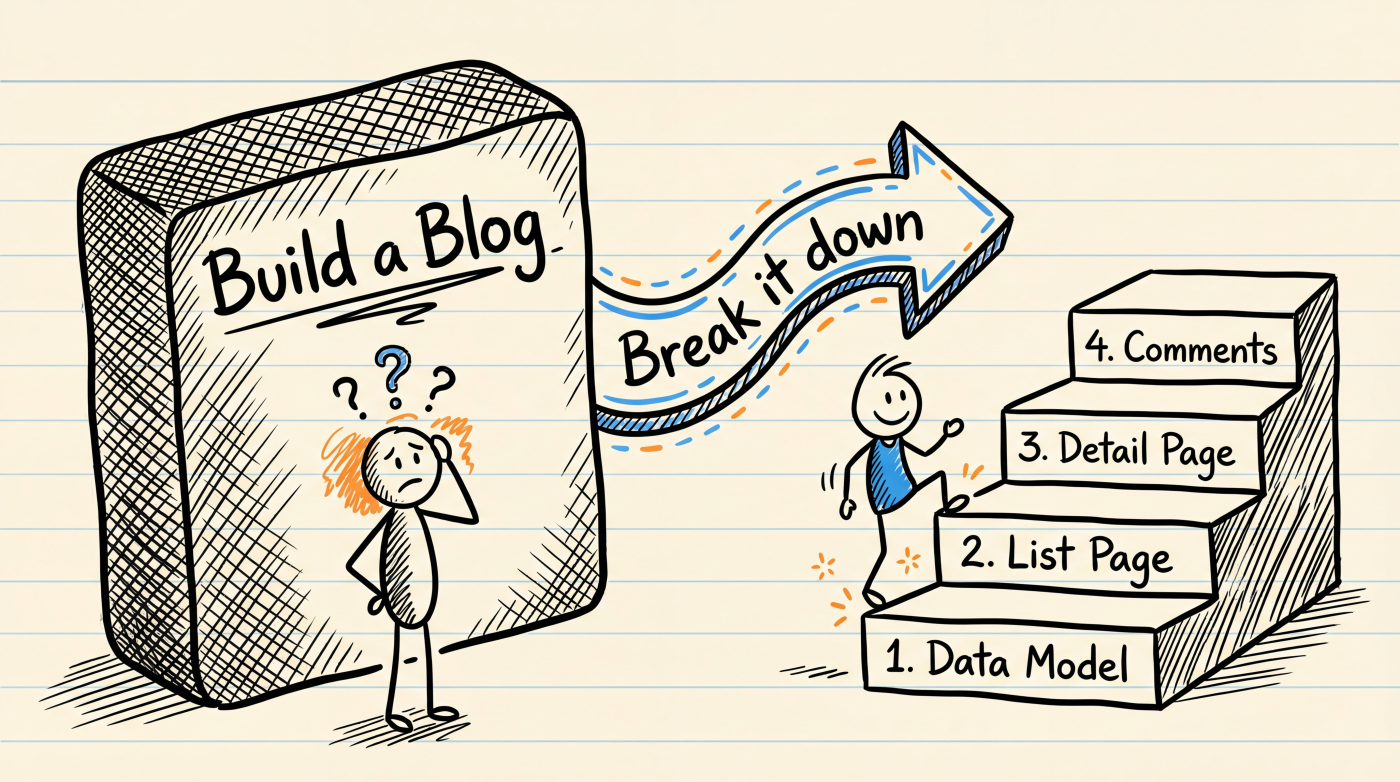
Don't ask the AI to build a complex feature all at once. Break it into small steps and confirm each one before moving on:
I want to build a blog system. Let's do it step by step:

Step 1: Start with the data model
- Post: title, content, author, publish date, tags
- User: nickname, email, avatar
Please generate the data model code first. I'll confirm before we continue.
After the AI completes it:
Data model looks good. Now step 2:
- Post list page, 10 posts per page
- Show title, excerpt (first 100 chars), author, publish date
- Clicking the title navigates to the post detail page
Benefits of this approach:
- Shorter prompts per step mean more accurate AI understanding
- If something goes wrong, you only need to roll back one step
- You can adjust direction between steps
Know When to Start Over
Iteration isn't a silver bullet. If you notice:
- The AI keeps fixing the same issue but making it worse
- The code structure was wrong from the start — patching won't help
- You've iterated 5+ rounds and still aren't satisfied
At that point, it's better to start a fresh conversation and write a new prompt incorporating everything you learned. Your new prompt will be much better than the first one, because you now know which approaches don't work.
The essence of iterative prompting isn't "keep fixing until it's right" — it's "get closer to the goal with each adjustment." If the direction is wrong, cutting your losses early is smarter than grinding it out.
Next Up
- Common Mistakes — avoid the most frequent prompt mistakes
- Prompt Templates — ready-to-use prompt template collection