Reading Code: Everything You Need to Know
We won't teach you to write code -- just to read it
You don't need to write code. But if you can roughly understand what AI-generated code is doing, you'll spot problems faster and give more accurate feedback.
It's like reading a recipe -- you don't need to be a chef, but knowing the difference between "stir-fry on high heat for 3 minutes" and "simmer on low for 2 hours" helps you tell whether the dish is being made correctly.
Code Is Just a Recipe
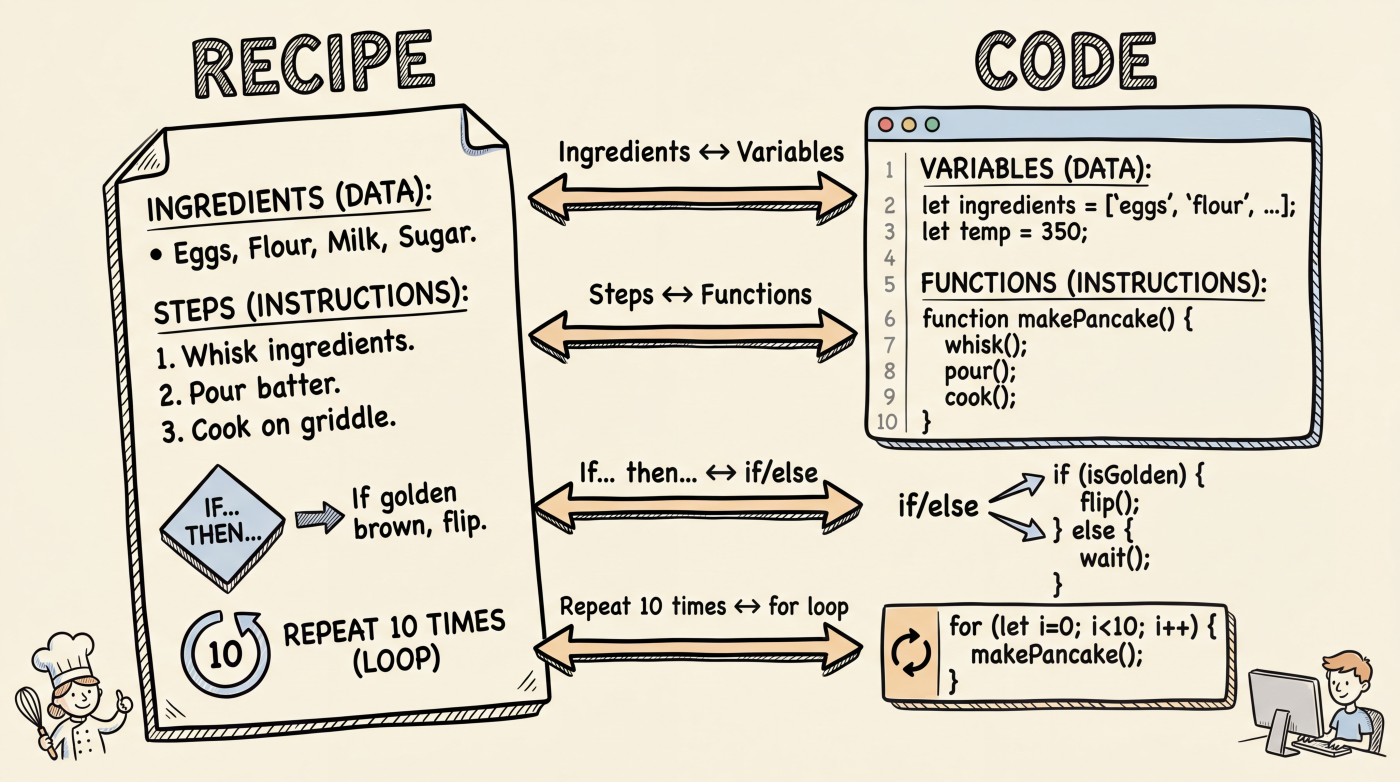
A piece of code and a recipe are surprisingly similar in structure:
| Recipe | Code | Example |
|---|---|---|
| Ingredient list | Variables (variable) | let price = 99 |
| A step | Functions (function) | calculateTotal() |
| "If... then..." | Conditionals (if/else) | if (age >= 18) |
| "Stir 10 times" | Loops (loop) | for (let i = 0; i < 10; i++) |
Let's walk through each one.
Variables: Giving Things Names
A variable is a named container that holds data.
let userName = "Jane"
let price = 99
let isLoggedIn = true
Reading these is intuitive: userName holds "Jane", price is 99, isLoggedIn is true (yes).
You'll see these keywords often:
let/const-- Declare a variable.constmeans the value won't change (constant)=-- This isn't "equals," it's "assignment" -- put the value on the right into the container on the lefttrue/false-- Boolean values, meaning "yes/no"
Functions: Bundling Steps Together
A function is a packaged set of steps with a name, ready to be called when needed.
function calculateTotal(price, quantity) {
  const total = price * quantity
  return total
}

// Call the function
const result = calculateTotal(99, 3)  // result = 297
When you see function, you know a set of operations is being defined. The price, quantity in parentheses are inputs (parameters), and return is the output (return value).
You don't need to understand every line -- just reading the function name usually tells you what it does:
| Function name | What it probably does |
|---|---|
getUserProfile() | Fetches user profile |
sendEmail() | Sends an email |
validateForm() | Validates a form |
handleClick() | Handles a click event |
AI-generated code usually has clean naming -- the function name itself is the best comment.
Conditionals: If... Then...
if (user.age >= 18) {
  showContent()
} else {
  showAgeWarning()
}
This one reads itself: if the user's age is 18 or above, show the content; otherwise, show an age warning.
if/else is one of the most common structures in code. You'll also see variations:
if (status === "success") {
  showMessage("Operation successful")
} else if (status === "error") {
  showError("Something went wrong")
} else {
  showLoading()
}
Note that === means "equals" (three equal signs), while = is assignment. This is the most common point of confusion for beginners.
Loops: Doing Something Repeatedly
const fruits = ["apple", "banana", "orange"]

for (const fruit of fruits) {
  console.log(fruit)
}
This code goes through the list of fruits and prints each one. for basically means "for each."
You don't need to memorize loop syntax. Just know that when you see for, while, .map(), or .forEach(), the code is processing a collection of data repeatedly.
Putting It Together: Reading Real Code
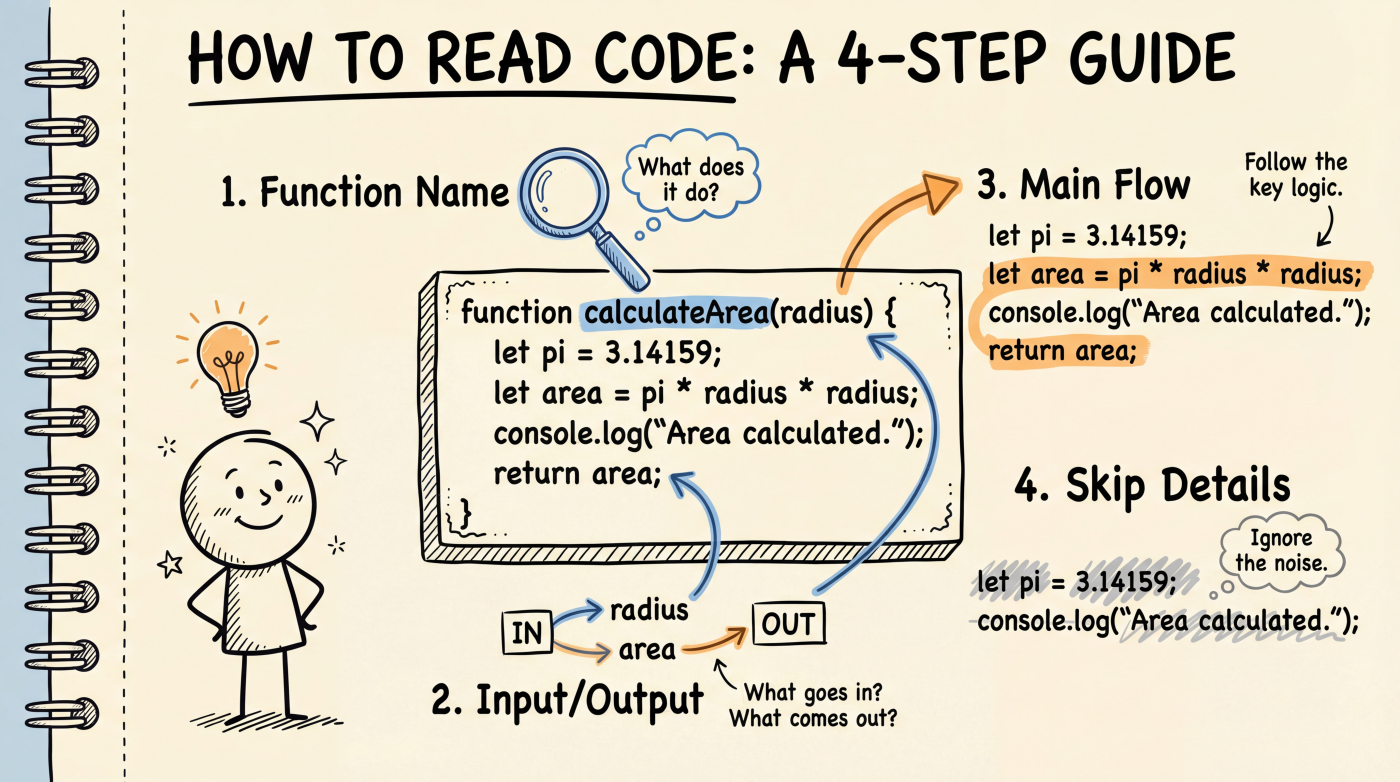
Here's a piece of code AI might generate:
async function fetchUserOrders(userId) {
  const response = await fetch(`/api/orders?user=${userId}`)
  const orders = await response.json()

  if (orders.length === 0) {
    return "No orders yet"
  }

  const totalAmount = orders.reduce((sum, order) => {
    return sum + order.amount
  }, 0)

  return { orders, totalAmount }
}
Don't read it word by word. Use this approach:
- Read the function name --
fetchUserOrders, fetches user orders - Check inputs and outputs -- Takes
userId, returns an order list and total amount - Follow the main flow -- Call API -> get orders -> no orders? return a message -> has orders? calculate total
- Ignore the details -- Don't know what
async,await, orreducemean? That's fine. It doesn't affect your understanding of the big picture.
Can't Figure It Out? Just Ask AI
When you hit code you can't understand, the most efficient move is to paste it into AI and ask:
"What does this code do? Explain it in simple terms."
Or get more specific:
"What does the
reducepart of this function do?""Why is
async/awaitused here?"
AI is excellent at explaining code. You don't need to struggle through it alone -- think of AI as a teacher who's always available.
Next Up
- File Structure -- Understand how all those folders and files in a project are organized
- Terminal Basics -- Learn the essential command-line operations