Tools Landscape: Which One Fits You
Comparing zero-code platforms and code assistant tools
AI coding tools fall into two broad categories: those that generate entire apps for you, and those that help you write code.
Which one to pick comes down to one question: do you want to touch code or not?
Two Camps
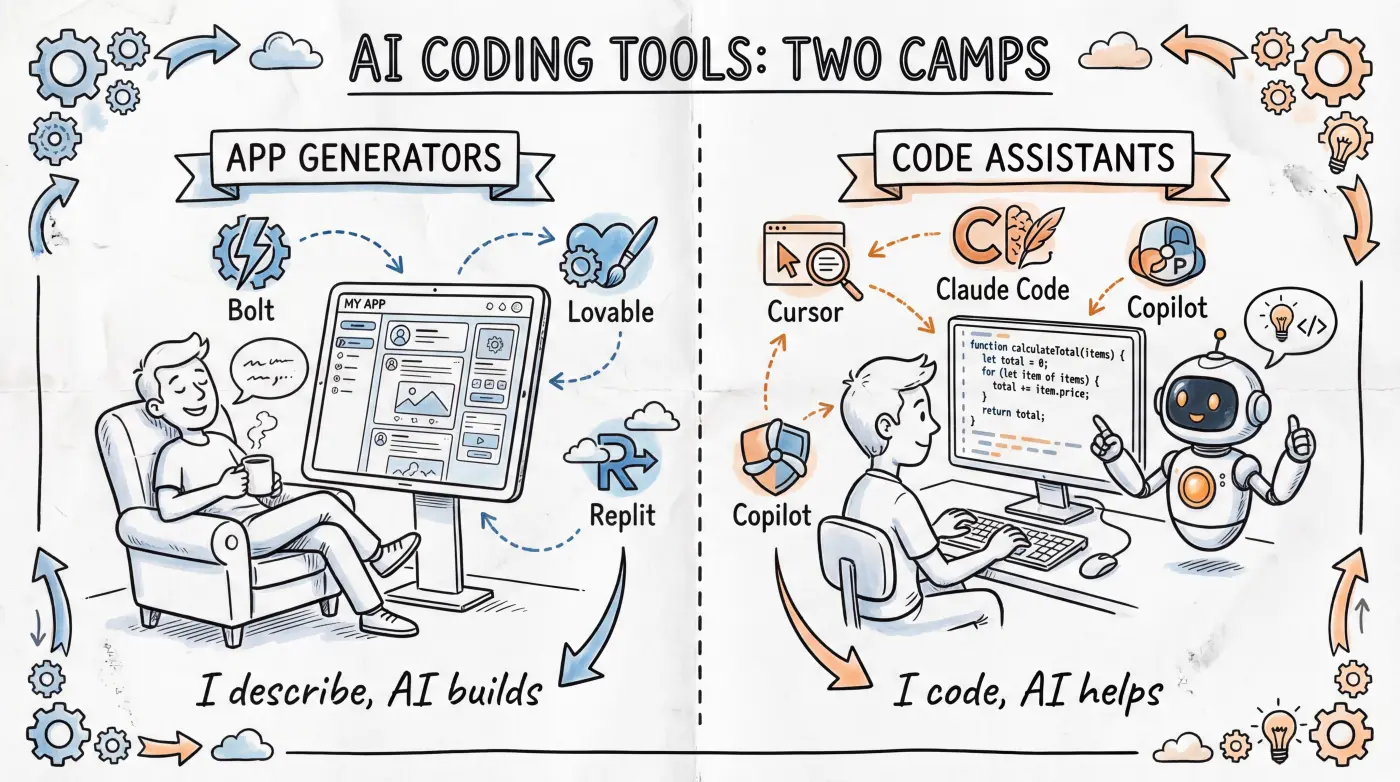
App Generators: "I Describe, You Build"
These tools let you describe requirements in natural language, and AI generates a complete, runnable application. No code to read, no local environment needed — just open a browser and go.
Key tools:
Bolt.new— Generates full-stack web apps in the browser with one-click deploy. Fastest to get started, great for quick validationLovable— Excels at generating polished, design-forward interfacesGoogle AI Studio— Made by Google, generous free tier, supports Gemini models for direct app generationReplit— Cloud dev environment + AI assistant, can both generate and manually edit, highly flexible
Good for you if:
- You don't want to touch code at all
- You want to build something usable in an afternoon
- You're making personal projects, internal tools, or MVP validation
Limitations:
- Complex features can get stuck, with AI edits potentially making things worse
- Code lives on the platform, migrating out has friction
- Free tiers are limited, ongoing use requires payment ($20-30/month starting, heavy use can reach $200+)
Code Assistants: "I Write, You Help"
These tools embed into your editor or terminal, providing suggestions, completions, and refactoring as you code. You control the code, AI is your copilot.
However, as large models rapidly evolve, this category is undergoing a fundamental shift — the latest code assistants (like Cursor Agent mode, Claude Code) can now take natural language descriptions and autonomously create files, write code, run tests, and fix errors, all without you manually writing a single line. The difference from app generators is no longer "whether you touch code" but rather: the code lives on your machine, you have full control, and AI's autonomy and capability ceiling are higher.
Key tools:
Cursor— AI editor based on VS Code, strong at auto-completion, conversational editing, and multi-file refactoringClaude Code— Command-line tool, excels at complex cross-file tasks, can run commands to verify results on its ownGitHub Copilot— The original code completion tool, integrated into VS Code / JetBrainsWindsurf— AI editor similar to Cursor, also based on VS CodeGoogle Antigravity— Google's AI coding agent, integrated in VS Code, powered by Gemini models
Good for you if:
- You're willing to spend a bit of time setting up an environment (one-time)
- You want to build more complex, maintainable projects
- You need full control over code and deployment
Limitations:
- Requires local development environment setup
- Initial learning curve is steeper than app generators
- Troubleshooting requires some debugging ability (but AI can help with that too)
Side-by-Side Comparison
| Dimension | App Generators | Code Assistants |
|---|---|---|
| Examples | Bolt.new, Lovable, Google AI Studio, Replit | Cursor, Claude Code, Copilot, Antigravity |
| Ease of start | Very easy | Moderate |
| Your input | Natural language descriptions | Natural language + optional manual editing |
| Code ownership | Platform-hosted | Fully in your hands |
| Best for | Prototypes, personal tools, MVPs | Production apps, complex projects |
| Ceiling | Medium | High |
| Monthly cost | From $20-30, up to $200+ by usage | From $20-30, up to $200+ by usage |
One More Category: UI Component Generators
v0 (by Vercel) is a special case — it doesn't generate complete apps, but UI components. You describe "make a pricing page" and it gives you ready-to-use frontend code.
Best for scenarios where you already have a project and need to quickly generate interface pieces. For complete beginners, using it alone has limited value.
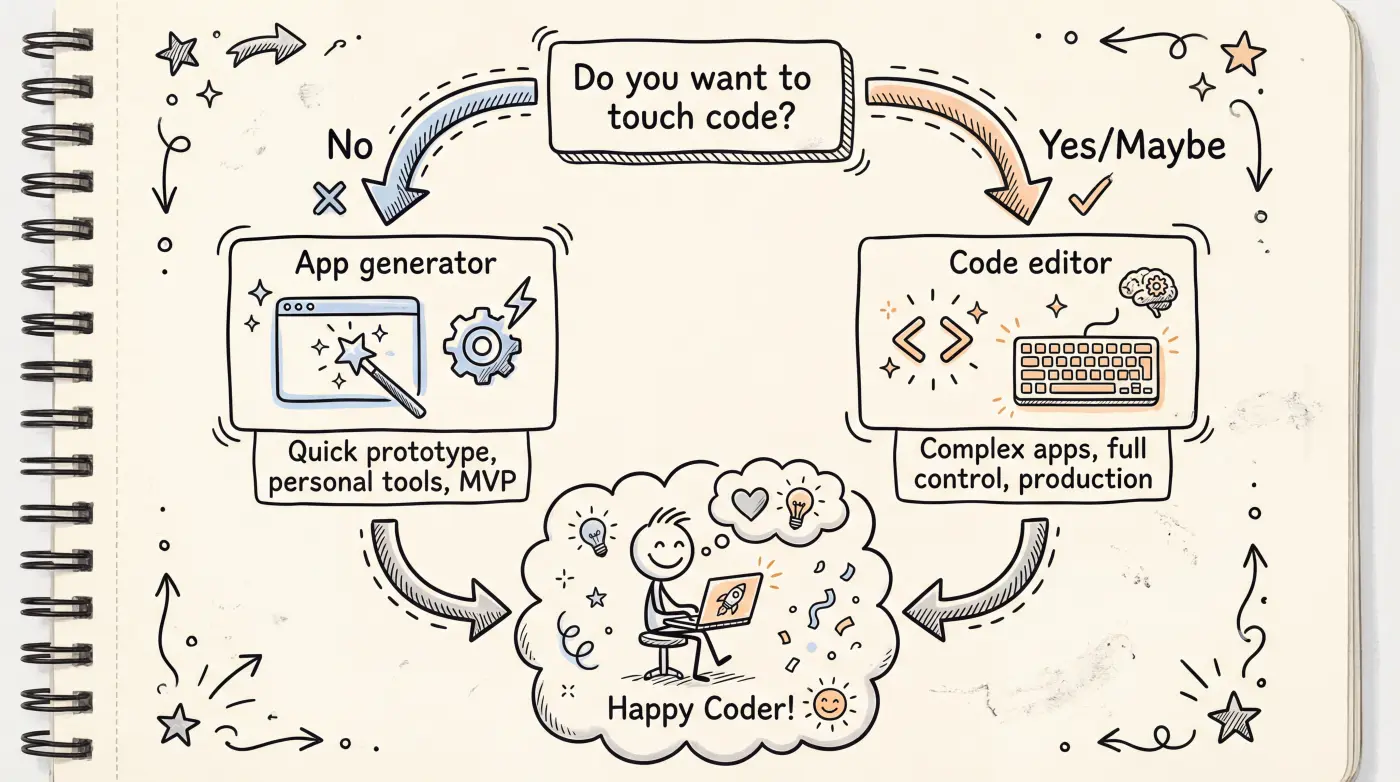
This Guide's Choice
App generators are quick to start but have a limited ceiling; code assistants need one extra step of environment setup, but their capability ceiling is far higher — and as AI autonomy improves, they no longer require you to "know how to code."
This guide focuses more on the code assistant path. We believe this is the direction with more long-term value for Vibe Coding: code is in your hands, no platform lock-in, and AI can do more.
Specifically, upcoming content will cover:
- Claude Code — This guide's primary tool, command-line based, handles complex cross-file tasks
- Cursor — As a visual editor complement, great for UI adjustments
- Bolt.new / Lovable — Covered in the "rapid prototyping" chapters for initial experience
You don't need to decide now. The next article will help you choose your first tool based on your situation.
What's Next
- The Vibe Coder Mindset — Key mental shifts before you start Vibe Coding
- How Apps Work — Basic technical concepts before getting hands-on