Anatomy of a Good Prompt
Role, context, task, constraints, and output format
In the last section, you wrote your first prompt and discovered that "the more specific, the better." But how specific? What information should you include? Let's break down the building blocks of a good prompt.
The Five Building Blocks
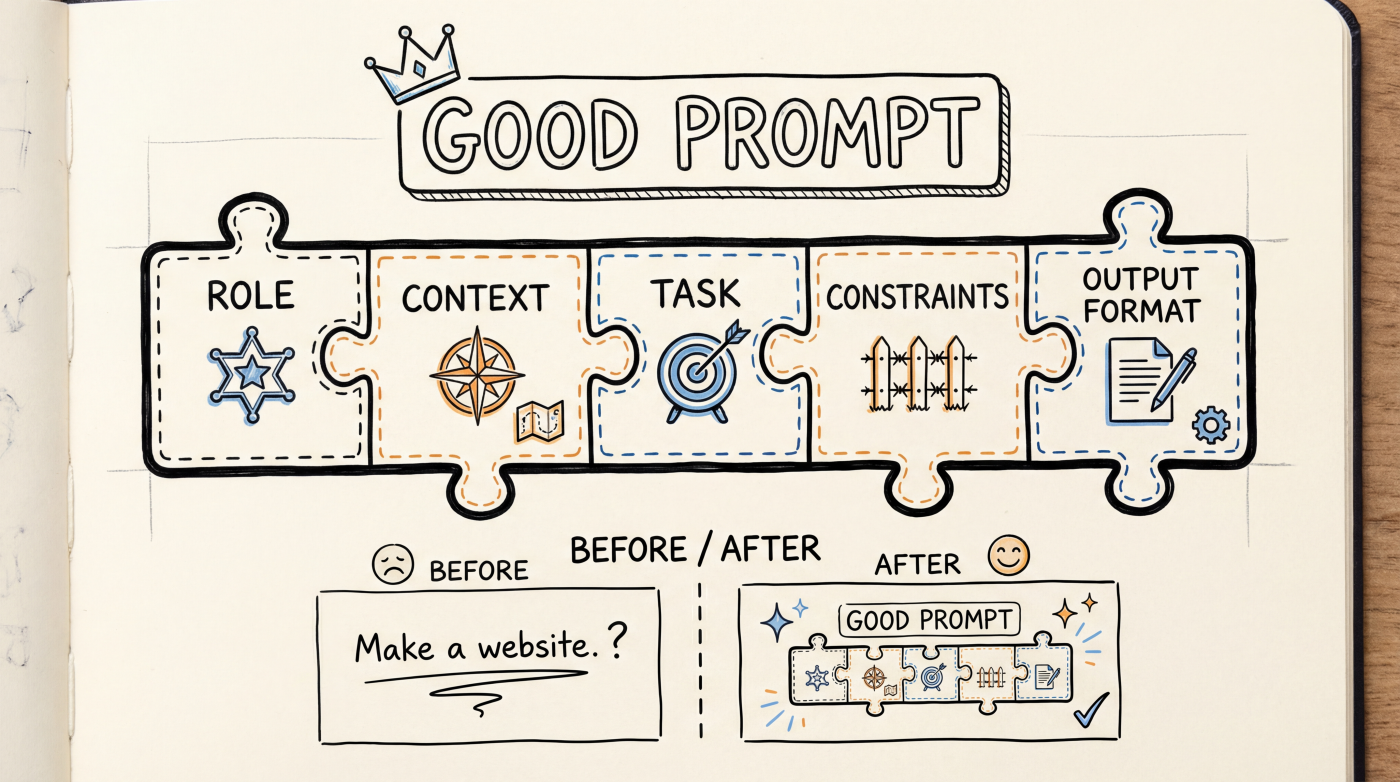
A good prompt typically includes these five parts (you don't always need all of them):
| Part | Purpose | Example |
|---|---|---|
| Role | Tell AI what persona to adopt | "You are a senior frontend engineer" |
| Context | Provide background information | "I'm building an e-commerce site with Next.js" |
| Task | State clearly what to do | "Create a product detail page" |
| Constraints | Set boundaries and rules | "Don't use any third-party UI libraries" |
| Output format | Specify how to respond | "Just give me the code, no explanations" |
Role: Give AI an Identity
Setting a role for AI can noticeably improve output quality. The same question gets very different answers from a "senior engineer" versus a "beginner-friendly tutor."
You are a full-stack engineer with 10 years of experience, specializing in React and Node.js.
Help me design a user authentication system.
For Vibe Coding, some useful role settings:
- "You are a senior frontend engineer" -- produces more polished, standards-compliant code
- "You are a UI/UX designer" -- focuses more on interface and interaction
- "You are a code reviewer" -- helps you spot issues in existing code
Skipping the role is totally fine too. But when you're not happy with the output, try adding one.
Context: Tell AI Where You're At
AI doesn't know what tech your project uses, how far along you are, or what constraints you're working with. You need to provide that information.
Without context:
"Write a login form"
With context:
"My project uses Next.js 16 + Tailwind CSS, and I already have an
app/auth/directory. Create a login page in that directory with email and password input fields."
The more context you give, the more likely AI's code will drop right into your project without heavy modifications.
Tools like Cursor and Claude Code can automatically read your project files for context. But explicitly stating key details still helps a lot.
Task: One Thing at a Time
This is the most critical part. Break big tasks into small steps, and ask AI to do one thing per prompt.
Not great:
"Build a complete e-commerce site with product listings, shopping cart, payments, user dashboard, and order management."
Much better:
"Build the product listing page first. Show 6 product cards, each with an image, name, price, and an 'Add to Cart' button. Use a grid layout."
When you ask for too much at once, AI tends to cut corners everywhere. One thing at a time means higher quality, and when something goes wrong, it's easier to pinpoint.
Constraints: Draw the Boundaries
Constraints keep AI from going overboard with "creative freedom."
Requirements:
- Use TypeScript
- Don't use the any type
- Components must support dark mode
- Don't install new dependencies
- Code should include comments
Common types of constraints:
- Technical -- which language/framework to use, which libraries to avoid
- Style -- coding style, naming conventions
- Functional -- what not to do ("don't add animations")
- Performance -- "page load time under 2 seconds"
Output Format: Tell AI How to Respond
Sometimes you just want code, no explanations. Other times you want a step-by-step tutorial.
- "Just give me the code, no explanations" -- for quick code generation
- "Explain your approach first, then give the code" -- for learning
- "Compare these two approaches in a table" -- for decision-making
- "Give me a complete file I can copy and paste directly" -- for convenience
Putting It All Together
Combine the five parts into a complete prompt:
You are a senior React engineer.

I'm building a blog site using Next.js 16 and Tailwind CSS.

Create an article comment component with these requirements:
- Show commenter avatar, nickname, timestamp, and content
- Support nested replies (max 2 levels deep)
- Use Tailwind CSS, don't bring in any other UI libraries
- The component takes a comments array as props

Just give me the code, no explanations.
You don't need to be this thorough every time. Simple tasks need just a sentence; complex tasks call for a detailed prompt. The key takeaway: when AI's output misses the mark, think about which part you might have left out.
Next Up
- Describing UI -- How to describe the interface you want with precision
- Describing Logic -- How to explain business logic and data flow to AI