Your First Prompt
Start with a single sentence and see how AI responds
A lot of people freeze up the first time they try to write code with AI -- staring at the input box, not sure what to say. Don't overthink it. Just talk to it like you'd talk to a developer on your team. Tell it what you want.
Start with One Sentence
The simplest prompt is a single sentence describing what you want:
"Build a to-do app"
That's it. AI will generate a complete to-do application from that -- input field, add button, list display, delete functionality.
But here's the thing: the result might not match what you had in mind. Maybe you wanted something minimal, and it gave you something flashy. That's why how you write your prompt matters.
Vague vs. Specific
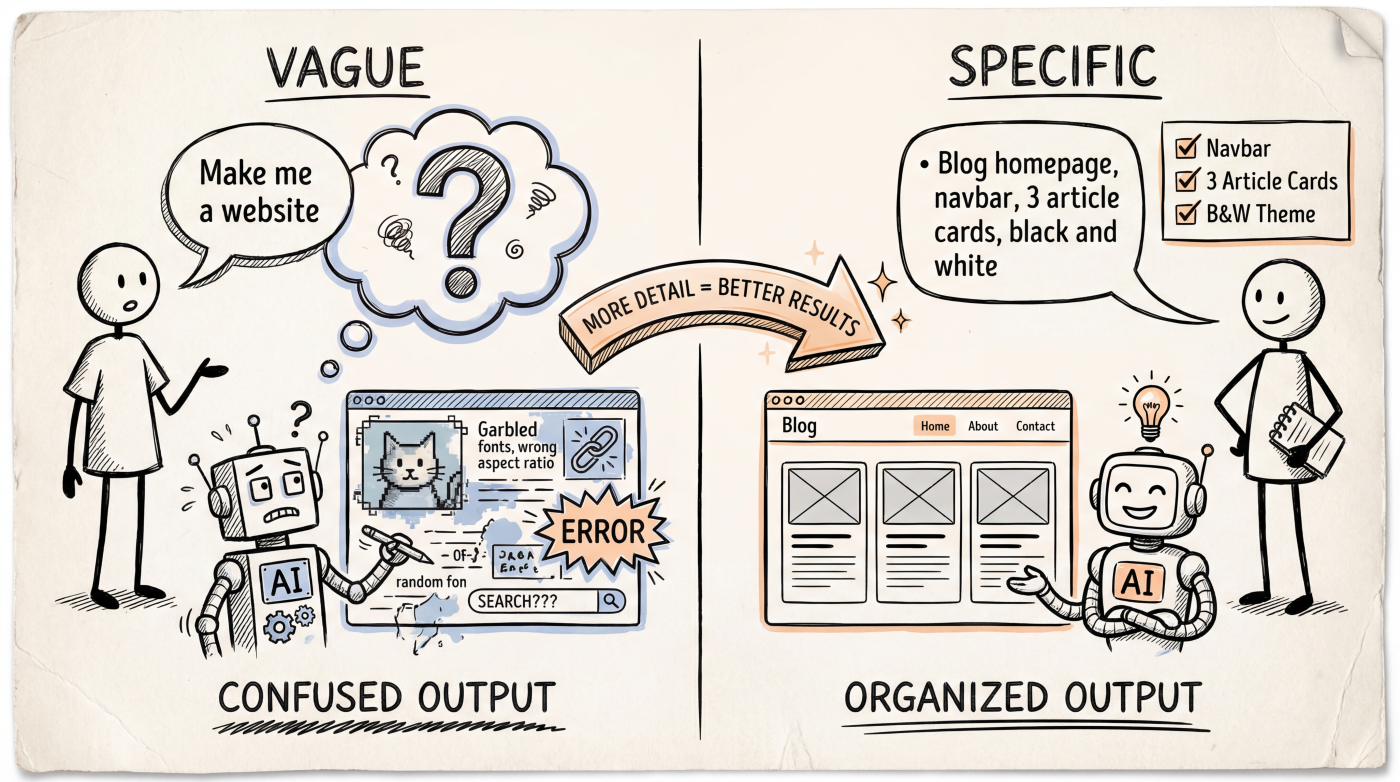
Look at the difference between these two prompts:
Vague prompt:
"Build a website"
AI has no idea what kind of website you want, so it guesses. The result probably won't be what you're looking for.
Specific prompt:
"Build a personal blog homepage. Put a navigation bar at the top (Home, About, Articles), a card list of the 3 most recent articles in the middle, and copyright info at the bottom. Use a clean black-and-white color scheme."
Same amount of effort, but the information AI gets is completely different. The specific prompt tells AI:
- What to build -- a personal blog homepage
- What it contains -- navigation bar, article cards, copyright info
- What it looks like -- clean black-and-white color scheme
A Real Example
Say you want to build a simple calculator. Try this prompt:
"Build a calculator app with React. Requirements:
- Support basic arithmetic: add, subtract, multiply, divide
- A display screen showing the current input and result
- Number buttons 0-9, laid out like a phone calculator
- A clear button (C) and an equals button (=)
- Use a dark theme"
This prompt isn't long, but it covers the key information: tech stack (React), features (basic arithmetic), layout (phone calculator style), and appearance (dark theme).
A Template for Your First Prompt
If you're not sure where to start, use this structure:
Build a [thing].

Feature requirements:
- [Core feature 1]
- [Core feature 2]
- [Core feature 3]

UI requirements:
- [Layout description]
- [Color scheme / style]

Tech stack: [framework/language] (if you have a preference)
You don't need to fill all of this out every time. But when AI's output doesn't match your expectations, check whether you left something out.
Give It a Try
Open your AI tool of choice (Cursor, Claude Code, ChatGPT -- whatever works), and try this prompt:
"Build a weather card component. Show the city name, current temperature, a weather icon, and a short weather description. Use a rounded card design with a light blue gradient background."
See what AI generates. Then tweak one detail in the prompt (say, change "light blue" to "dark purple") and see how the result changes.
This tweak-and-check loop is the core rhythm of Vibe Coding.
Don't Aim for Perfection on the First Try
Your first prompt will almost never nail it in one shot. That's completely normal. Vibe Coding is an iterative process:
- Write a rough prompt
- Look at what AI generates
- Tell AI what needs to change
- Repeat steps 2-3
It's like working with a designer -- you give a rough brief, review the first draft, then refine the details. You don't need to have every requirement figured out upfront.
Next Up
- Anatomy of a Good Prompt -- Breaking down the building blocks of an effective prompt
- Describing UI -- How to describe the interface you want using words